
Here’s a clean, professional, and human-friendly step-by-step guide with a slightly more structured help-center style and highlighted words for linking:
Step-by-Step Ad Posting Guide
Posting an ad on Exchstore is simple and helps you connect with potential buyers بسرعة and effectively. Follow these steps to create a successful listing:
Step 1: Access Your Account 🔑
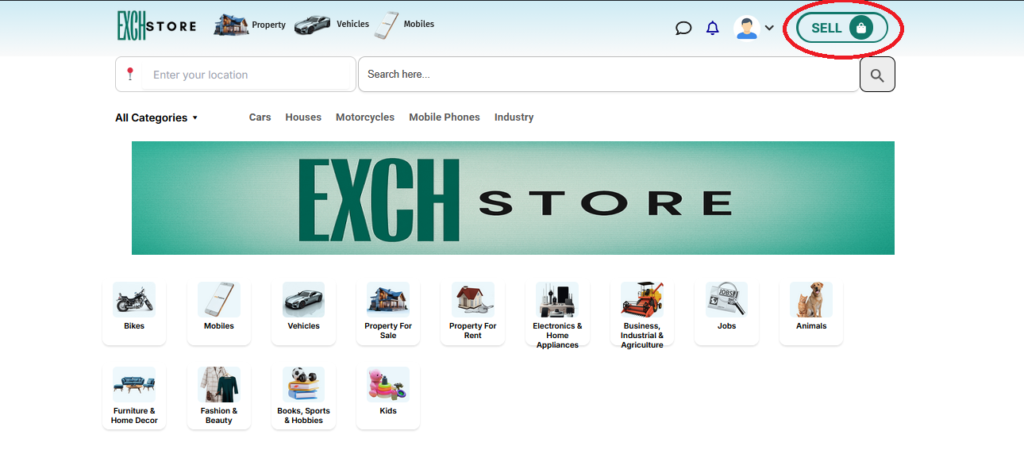
Go to the Exchstore homepage and login to your account to access your dashboard.
Step 2: Start a New Ad 📝
Click on SELL from your dashboard to begin creating your listing.
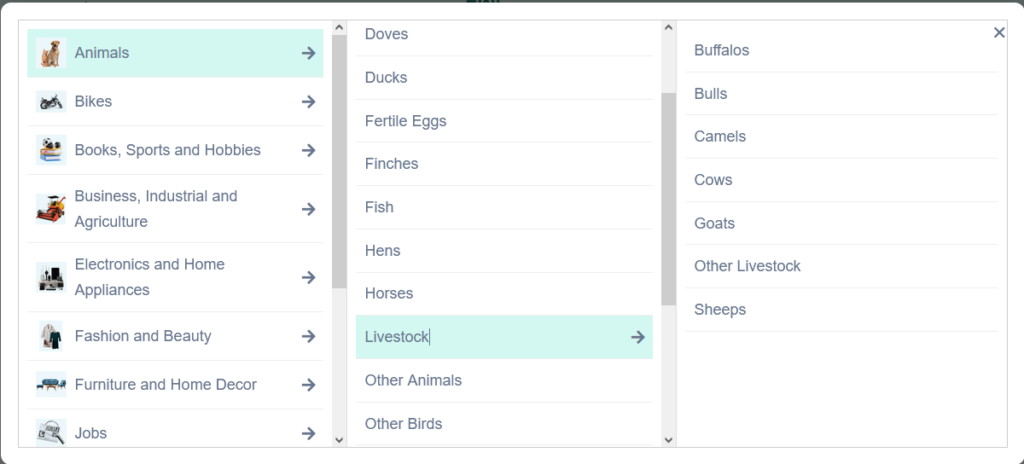
Step 3: Select the Right Category 📂
Choose the most relevant Category for your item so buyers can easily find it.
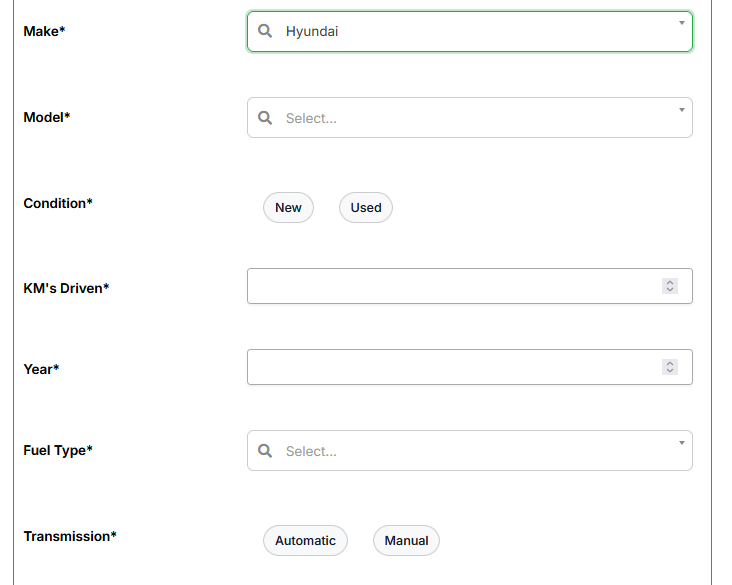
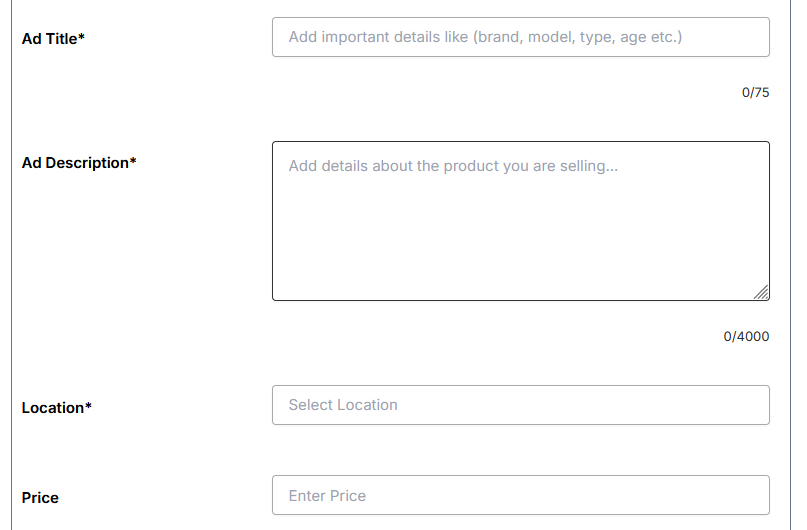
Step 4: Add Product Details ✍️
Enter a clear Title and detailed Description. Include important information like condition, features, and usage.
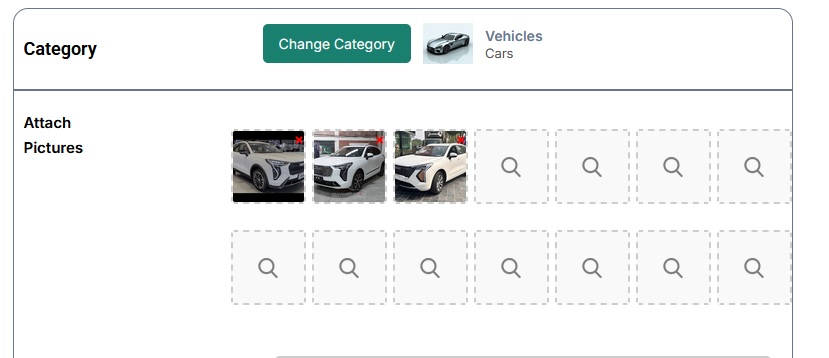
Step 5: Upload Images 📸
Add High-Quality Images of your product. Clear photos increase trust and attract more buyers.
Step 6: Set title, description, Price & Location 💰
Provide the Price, Condition, and Location of your item to give buyers complete information.
Step 7: Review and Publish ✅
Check all details carefully and click Publish Ad to make your listing live.
Your ad will now be visible to potential buyers on Exchstore.
Tip:
Well-written descriptions and clear images significantly improve your chances of selling faster.