
Choosing the right category ensures your ad reaches the right audience and improves your chances of getting responses.
📌 Why Category Selection Matters
- Helps buyers find your ad easily
- Improves search visibility
- Reduces chances of ad rejection
✅ Step-by-Step Guide to Select Category
1. Click on “Post New Ad”
- Log in to your Exchstore account
- Click on the SELL button
2. Open Category Selection
- Find the Category section in the ad form
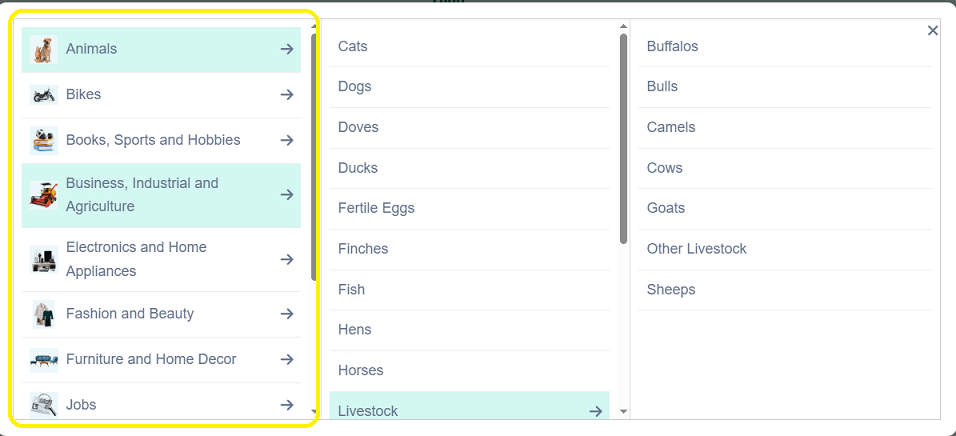
3. Choose Main Category
Select the most relevant option, such as:
- Mobiles
- Vehicles
- Property for Sale
- Electronics & Home Appliances
- Jobs
- Fashion & Beauty
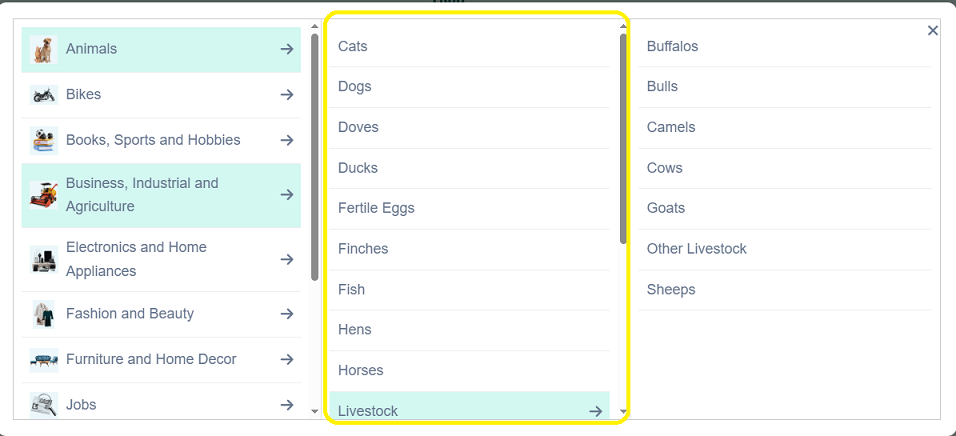
4. Select Subcategory (If Available)
- Choose a more specific option
- Example:
- Mobiles → Smartphones
- Vehicles → Cars
5. Continue Posting Your A
- Fill in remaining details
- Submit your ad
⚠️ Important Notes
- Wrong category may lead to:
- Low visibility
- Ad rejection
- You cannot change category after posting (currently)
❌ Common Mistakes to Avoid
- Selecting unrelated categories
- Choosing a broad category instead of a specific one
- Posting the same ad in multiple categories
💡 Tips for Best Results
- Think like a buyer: “Where would I search for this item?”
- Use the most specific category available
- Check similar ads to see where they are listed
❓ Need Help?
Visit the Help Center or contact support for assistance.